
Grouping Leads on Accounts in Salesforce.com

June 29, 2012
Many Salesforce.com users in B2B sales environments struggle with the concept of leads vs. accounts and contacts. For those of you who know how to read database data models here is a link to the Salesforce.com sales objects data model.

While accounts are at the very center of the sales object data model, and are associated to contacts, opportunities, partners, cases, contracts, and most of the other standard sales objects, leads are off to the side on their own table not connected to rest of the data model.
The two biggest problems caused by the practical implications of this data model are:
- If you are working on an account with contacts in Salesforce.com you may not see any or all of the leads that are from the same account. As a result, you may or may not notice that someone else in your company has been corresponding with leads associated to that account.
- Unlike with contacts with accounts, this data model does not provide a simple way to group associated leads from the same company onto a single record. If you are calling into a lead you do not have simple view on the record of the other leads that may already exist, and that someone else may already be speaking with the lead.
The Salesforce.com purists reading this post are probably saying that this is actually a process problem and not a system problem, and to some extent they would be correct. If you check for duplicates on every single lead and convert new leads over to contacts and attach them to the account you would avoid this problem, altogether. In an ideal world, this happens automatically through a marketing automation tool such as Eloqua, Marketo or the like. Or, you have you territory assignment rules setup correctly so that all leads and contacts in a territory get assigned to the same person.
However, 4 out 5 companies that I deal with struggle with this exact problem, because it isn’t entirely intuitive, immediately obvious, and many companies do not have territories or a marketing automation tool. Furthermore, some actually intentionally keep new leads as leads even if the account already exists in the database because of the way they have their team or process structured.
If you are struggling with this problem, there is one fairly simple solution that you can implement. It certainly isn’t perfect, but it allows you to associate leads to accounts, which means that you can group them and get a single view of all leads and contacts on a single account. For a few of the companies that I have worked with this has made a world of difference.
-
Create a custom lead field called “account”
- Data Type: Lookup
- Related Object: Account
- Related List Label: Leads (account)
- Child Relationship Name: Leads
-
Add the new “account” field to the lead page layout below the standard company field
-
Add the new “leads (account)” related list to the accounts page layout
-
Enjoy
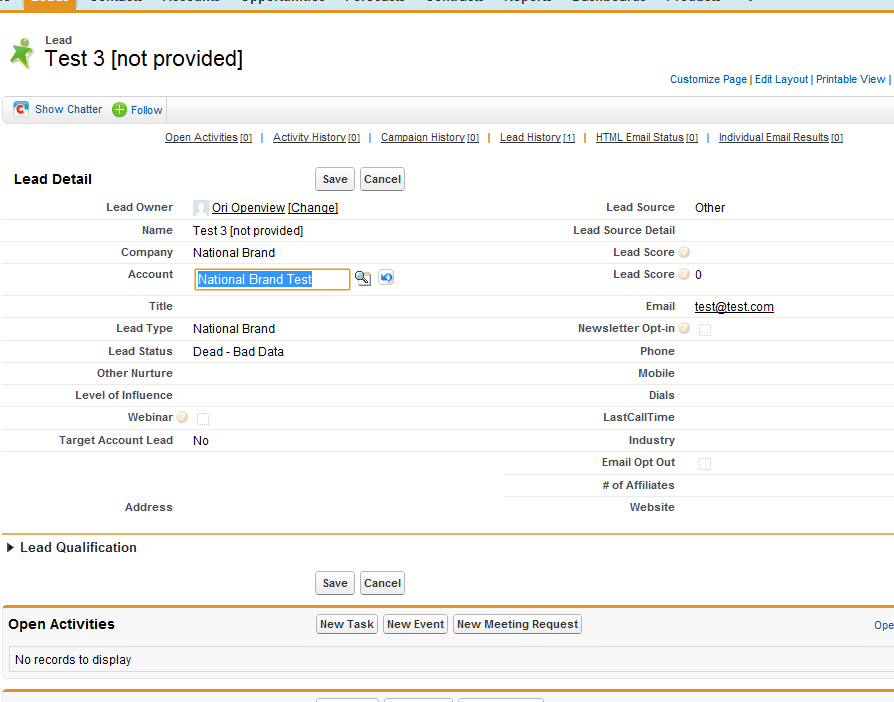
Once you’ve done that you can populate the account field on leads from the same company, and they will appear in the leads (account) related list on the account record.
Please feel free to leave questions and comments.